


|


Copied to clipboard 
|
MoboLink 4.5
Android Enterprise–compliant EMM
MoboLink securely unifies and manages all of your devices, keeping your company running at full steam.
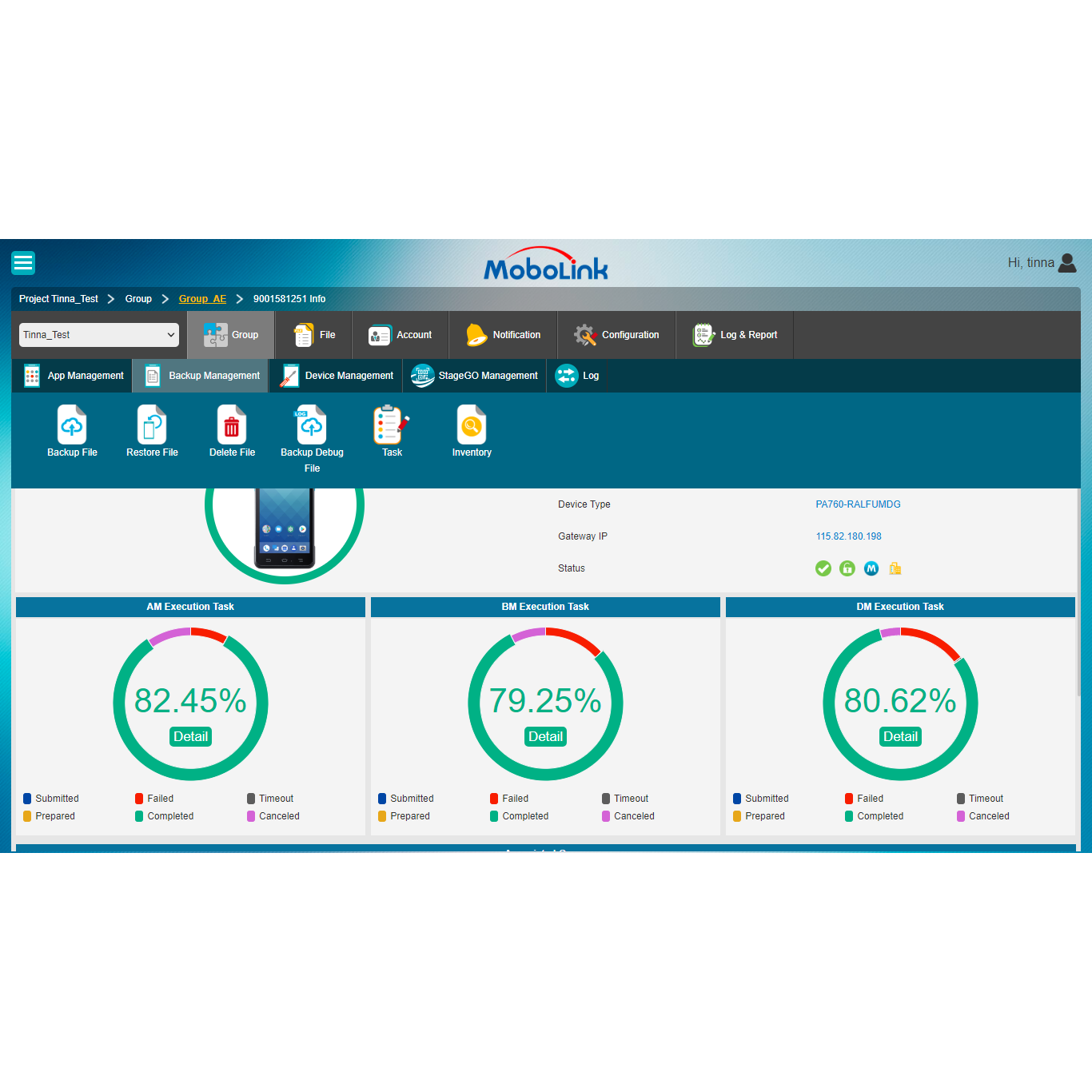
Manage Android Devices and RT112 Windows in One App
MoboLink 4.5 expands enterprise device management with support for RT112 Windows, enhanced Android Enterprise capabilities, and a range of practical updates. With data changing all the time, keeping information up to date gives businesses a stronger management advantage. MoboLink helps IT teams stay informed, maintain better control, and manage devices more efficiently through one centralized app.
Features
-
• Monitoring
-
• Event Management
-
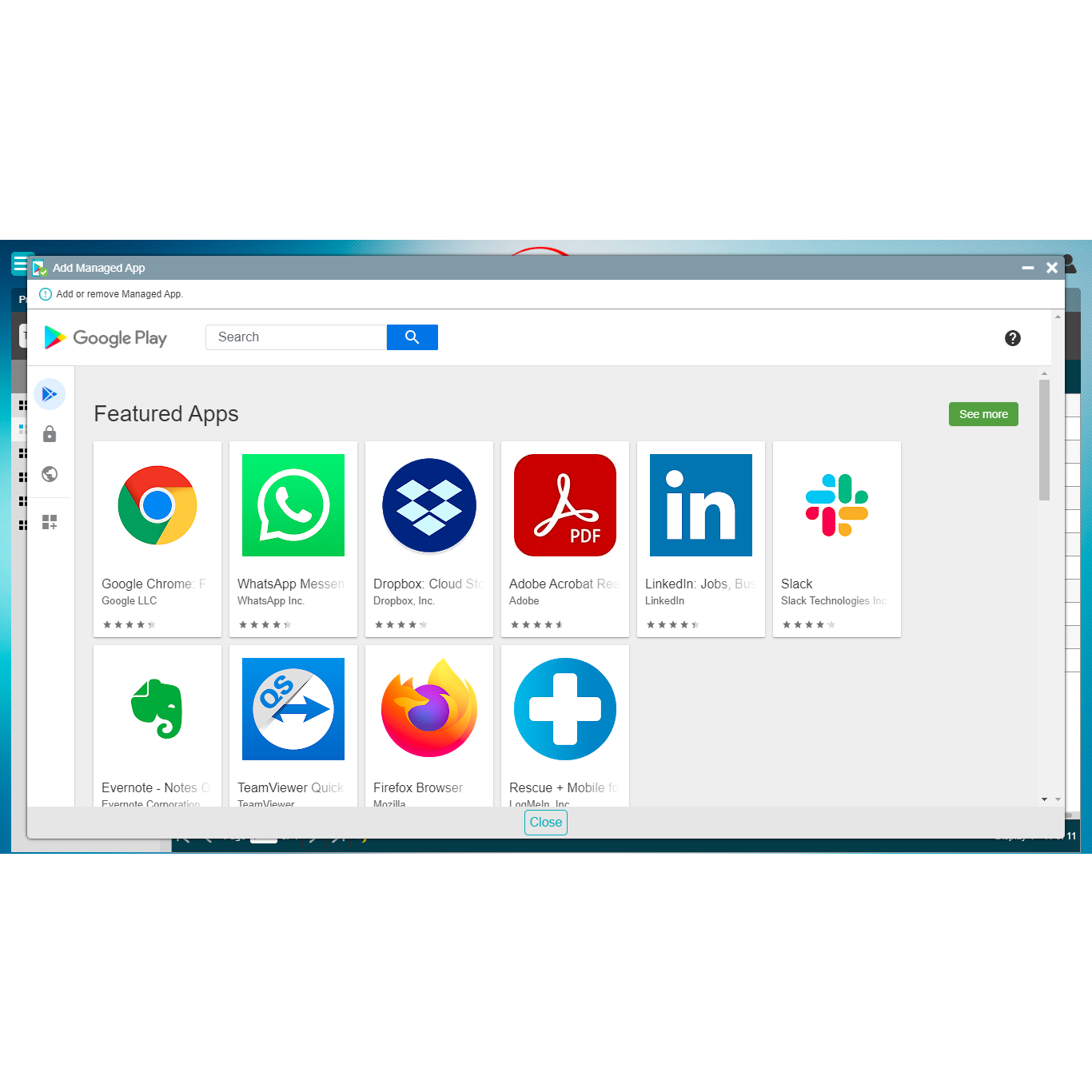
• Application Management
-
• Lost Mode
-
• Device Management
-
• Backup Management
-
• Remote Control
-
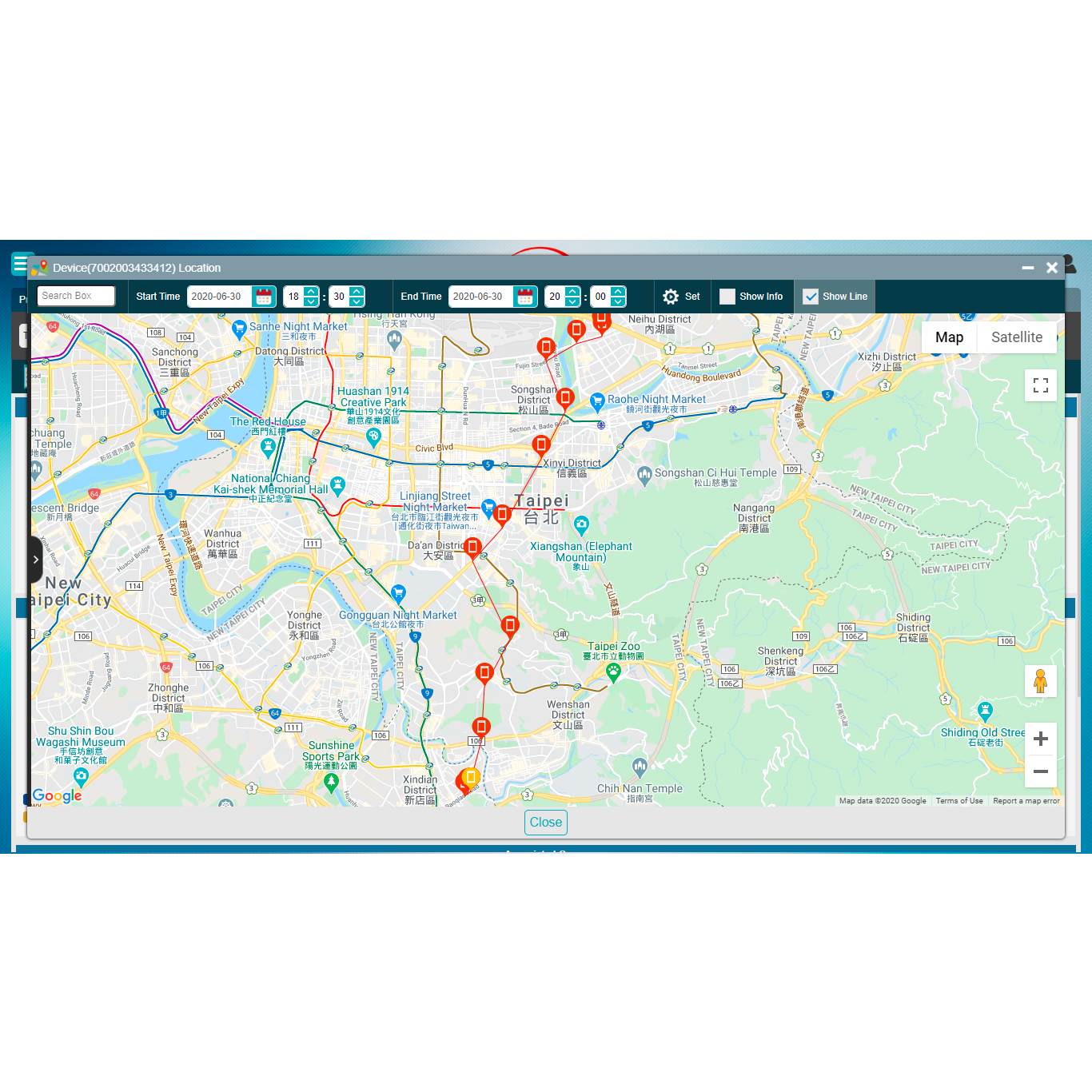
• Location Management
-
• StageGO Management
-
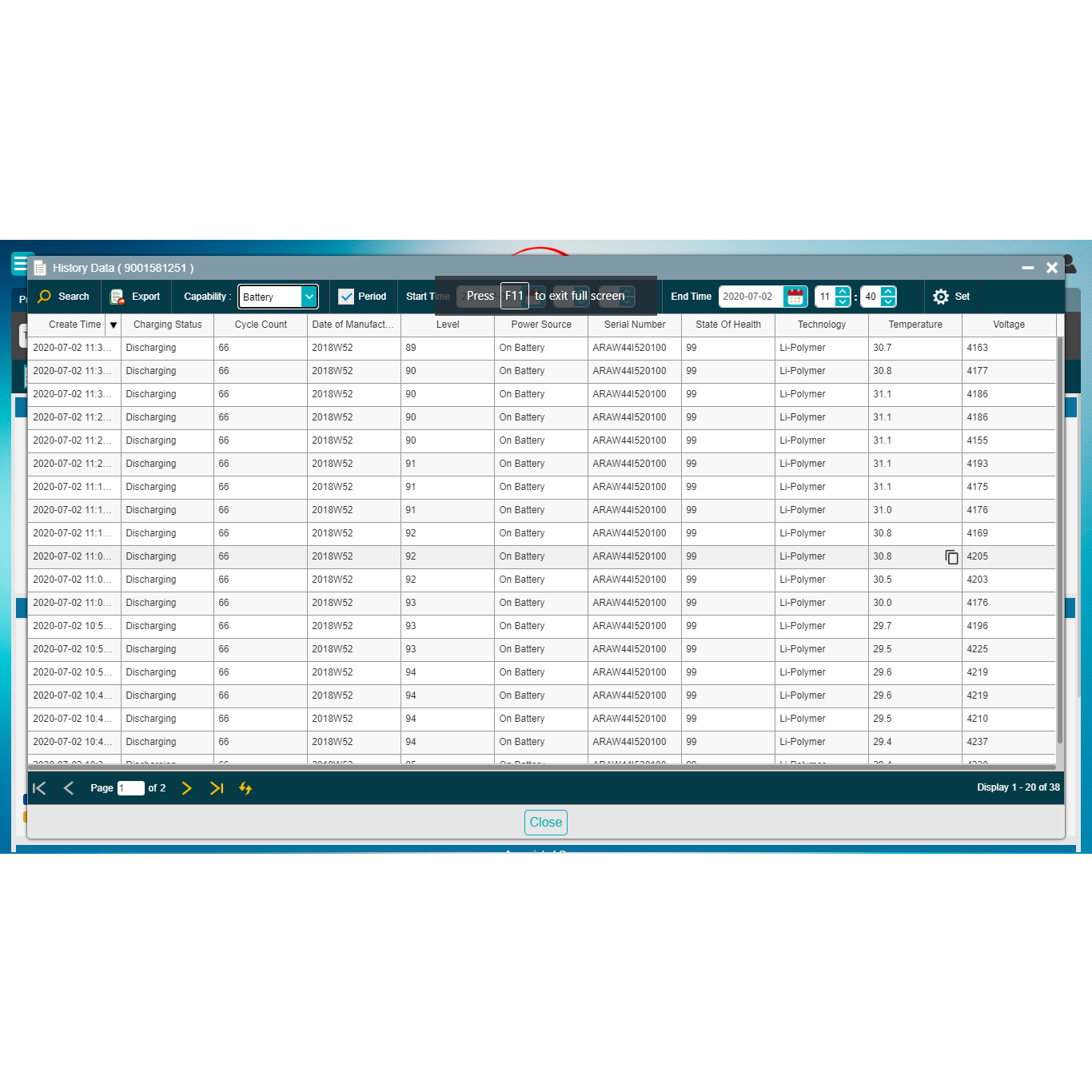
• Historical Data
• Android Enterprise
Real User Testimonials
01 / NEW DEVICE SUPPORT
RT112 Windows Support
Manage core RT112 Windows tasks through the familiar MoboLink console.
02 / ANDROID ENTERPRISE ENHANCEMENT
Safer, More Controlled Enrollment
Add device integrity checks and Google Workspace account controls to enrollment.
03 / EVERYDAY ADMINISTRATION
More Convenient IT Management
See more device information, organize files more easily, and work in 13 languages.
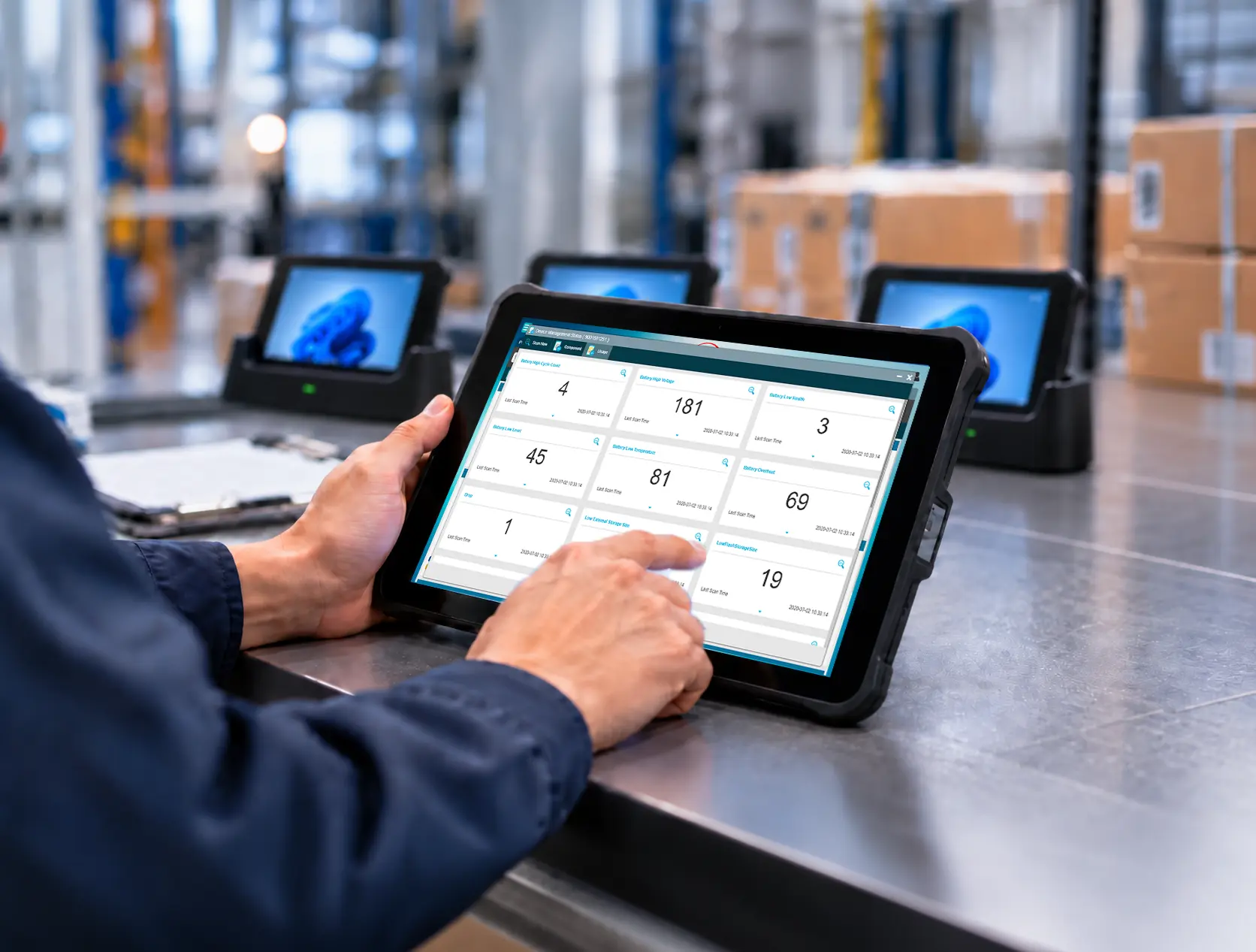
01 / RT112 Windows Support
Bring RT112 Windows into MoboLink
MoboLink 4.5 supports RT112 Windows for the first time. IT teams can now use the same familiar MoboLink environment to handle common Windows device tasks instead of switching between separate management workflows.
For example, administrators can remotely install or remove Windows applications, back up or restore work files, and review device status without handling each device individually. Historical status reports, including location information, also provide more context when tracking device issues over time.
Device Monitoring · Application Management · Device Management · Backup Management
MoboLink 4.5 introduces selected capabilities for RT112 Windows, with more features to be added in future releases.
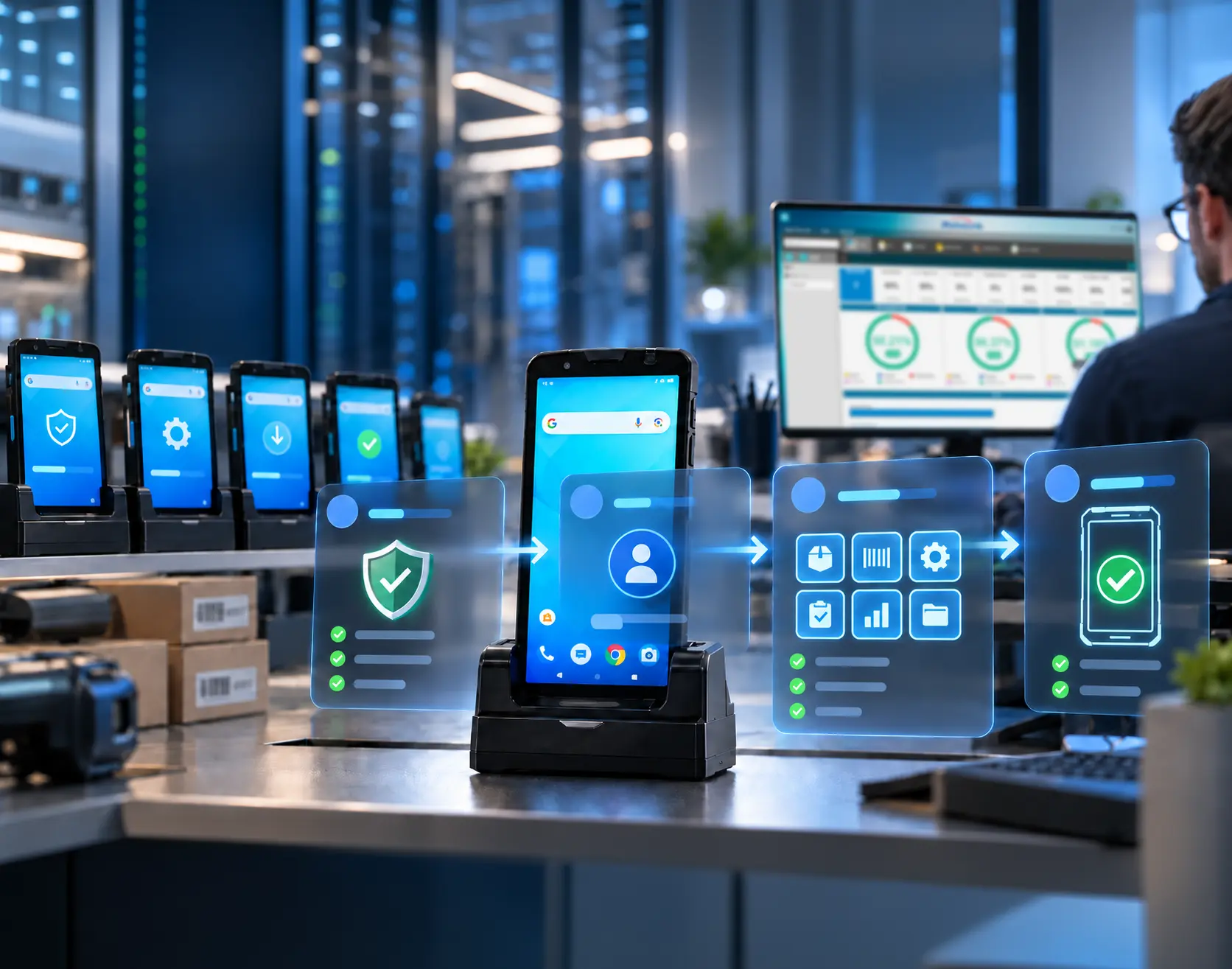
02 / ANDROID ENTERPRISE ENHANCEMENT
Give IT More Control Before a Device Goes to Work
For organizations using Android Enterprise, MoboLink 4.5 adds more control during device enrollment. IT can check whether a device meets defined integrity requirements before allowing it into the managed environment.
Companies using Google Workspace can also connect MoboLink to their Google domain and assign a Managed Google Account (MGA) to each device. This helps ensure the right user signs in before enterprise apps and data are delivered.
In practice: this gives IT teams a more consistent way to prepare and onboard employee devices at scale, with security and identity checks built into the deployment process.
Play Integrity Attestation · Google Domain Binding · Managed Google Account Binding
03 / OTHER ENHANCEMENTS
Make Everyday Device Administration Easier
See Device Capacity at a Glance
Add available storage and memory information to the Device List, making it easier to sort devices and spot units that may need attention.
Organize Files More Easily
Create folders and move files between them across Apps, OS Images, Agent Files, General Files and StageGO Files.
Show User Information on the Agent
Device User, Notes, and Remark are now visible in the MoboLink app for easier IT support.
Maintain Device Lists with Less Rework
Export a Device List CSV, update it, and import it again for Device Upload instead of rebuilding the file from scratch.
Work in 13 Languages
Choose from Chinese Simplified, Chinese Traditional, Dutch, English, French, German, Italian, Japanese, Portuguese, Russian, Spanish, Turkish and Vietnamese.
Core MoboLink Capabilities
Monitoring
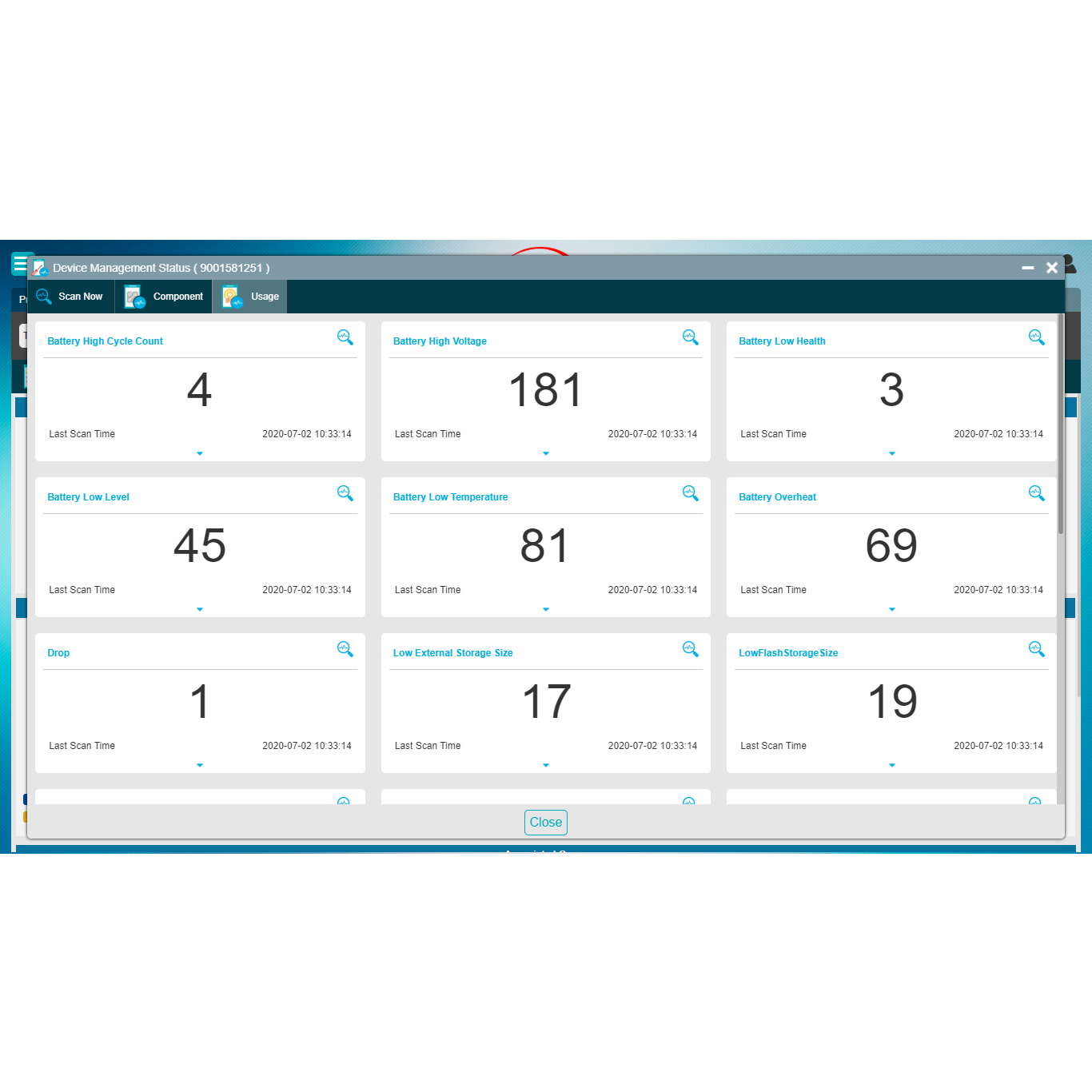
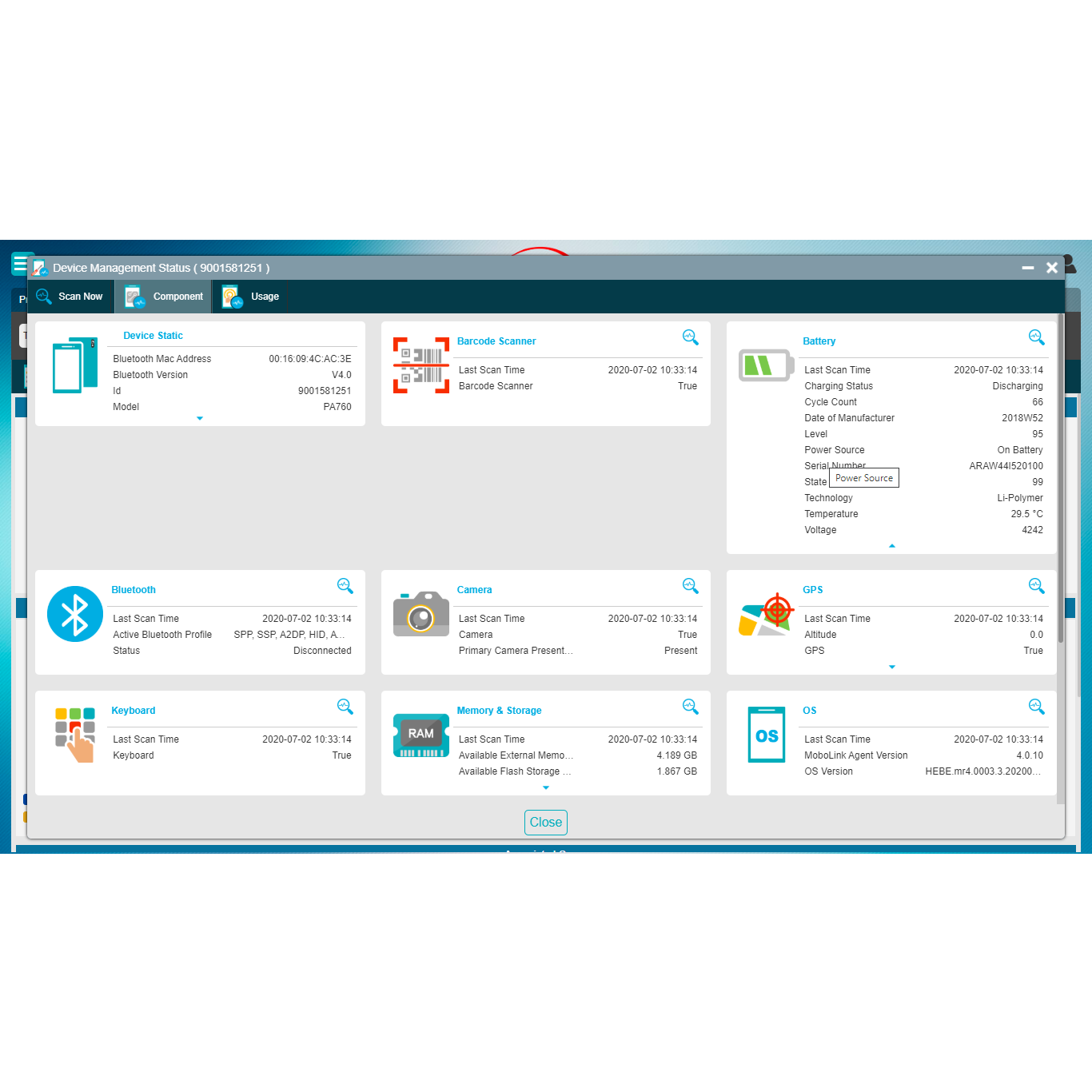
The MoboLink device agent can be configured to periodically report device information to the server. Reported data includes device capability metrics—such as battery, storage, location, and network status—and usage metrics including low-battery events, overheating events, reboot counts, and drop counts.

Event Management
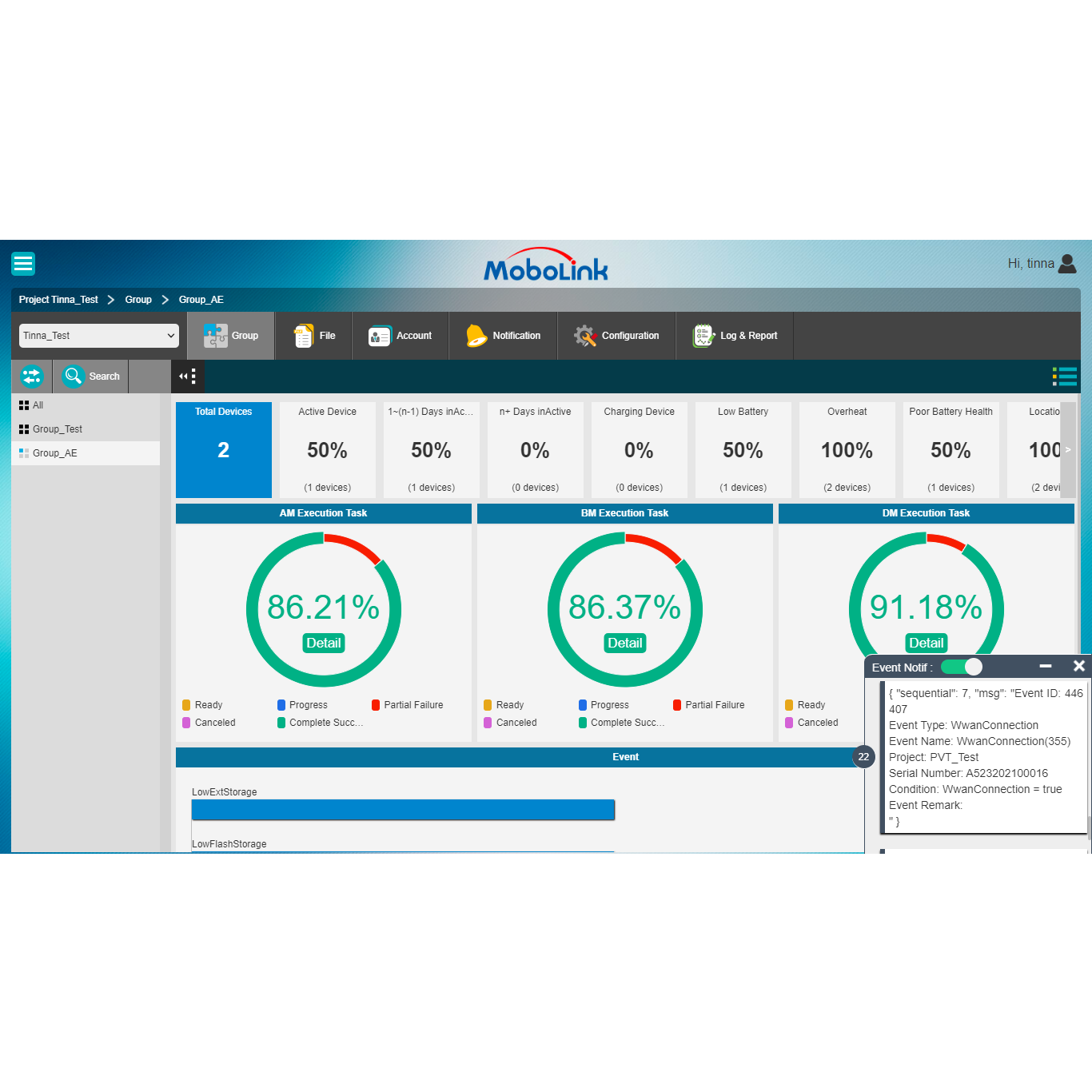
IT administrators can define event rules (e.g., Low Battery or Battery Overheat). When a condition is met, the system logs the event and sends notifications through email, SMS, Line, or WeChat.
Historical Data
MoboLink allows devices to periodically report status data—including battery level, location, and connection information—which is stored on the server. The data can be queried and exported as a CSV file for analysis.
Lost Mode
Lost Mode is an advanced security feature that automatically safeguards a device when it is identified as lost, stolen, or operating outside its trusted environment based on predefined security conditions. When a Lost Mode condition is met—or when IT activates it manually—the device is immediately locked, access is restricted, and predefined recovery actions are executed to prevent data exposure and unauthorized use.
Application Management
Applications and firmware can be managed per device or in groups. Installation, upgrades, launches, stops, and removals can be scheduled and executed across all devices with a single action. Additionally, the kiosk feature allows administrators to create an application whitelist to enforce corporate security policies.
Device Management
Built on the industry-proven OMA-DM standard, MoboLink Device Management enables real-time device status monitoring within a secure, web-based management portal. GPS data is included as part of device status and can be visualized through the MoboLink console using Google Maps or Baidu Maps for easier location tracking.
If a device is lost, administrators can remotely lock and wipe it. For Unitech devices, driver-level controls minimize security risks and prevent unauthorized system tampering.
Backup Management
Backup Management allows administrators to back up important files or entire folders from all devices with minimal effort. Files and folders can be restored just as easily, either to a single device or to a group of devices at once.
StageGO Management
StageGO has become a key staging and configuration tool for Unitech devices. To enhance usability, MoboLink includes a built-in StageGO editor where IT administrators can create and edit scripts, as well as dispatch them to devices for remote execution.

Remote Control
With Remote Control, administrators can access and operate Unitech devices directly from the MoboLink web management portal, making remote repair and maintenance fast and efficient.
As of version 4.3, Remote Control includes an on-screen drawing feature that allows both the device user and IT support to annotate in real time. Annotated screens can be saved as screenshots for future use.
Location Management
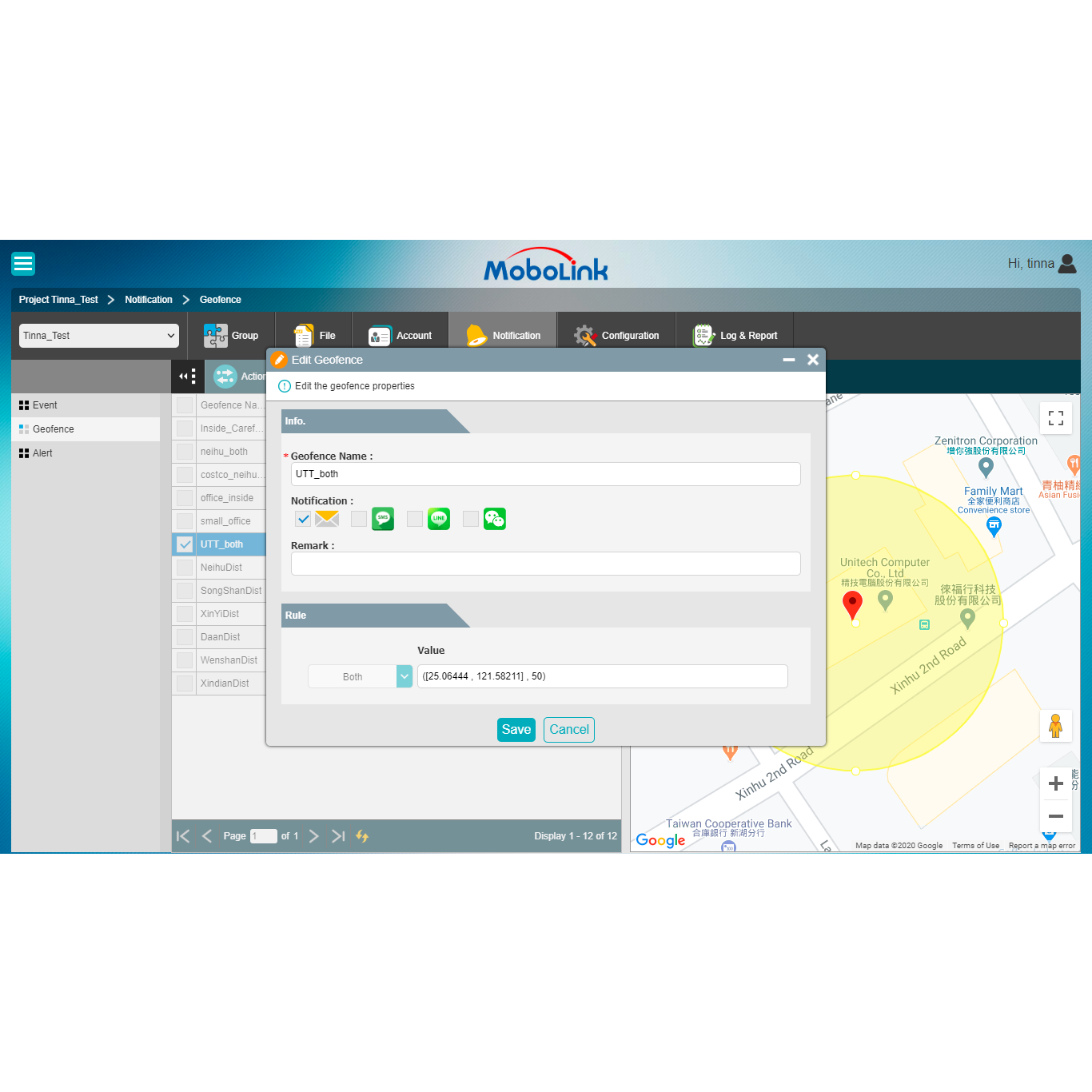
In addition to basic location information, MoboLink supports continuous location tracking and geofencing. IT administrators can configure geofence zones and receive alerts when devices move into or out of those zones.
Android Enterprise
Enrolling Unitech devices with Android Enterprise provides a secure, seamless deployment.
Admins can setup corporate app store through Managed Play, and use OEMConfig for remote app configuration, simplifying the overall enrollment process.
Starting from MoboLink V4.5, features like Managed Google Accounts and Play Integrity verification ensure that only authorized personnel and secure devices can access enterprise data.
MoboLink 4.5 Packages and Features
Visibility
This basic MoboLink package includes monitoring, event management, and historical data, helping IT admins stay informed about potential device issues.
Standard
Includes core MDM features such as device management and monitoring, plus remote control for efficient maintenance.
Enterprise
This package unlocks the full power of MoboLink, adding features such as Android Enterprise enrollment, Managed Play Store, advanced location tracking, and geofence alerts.
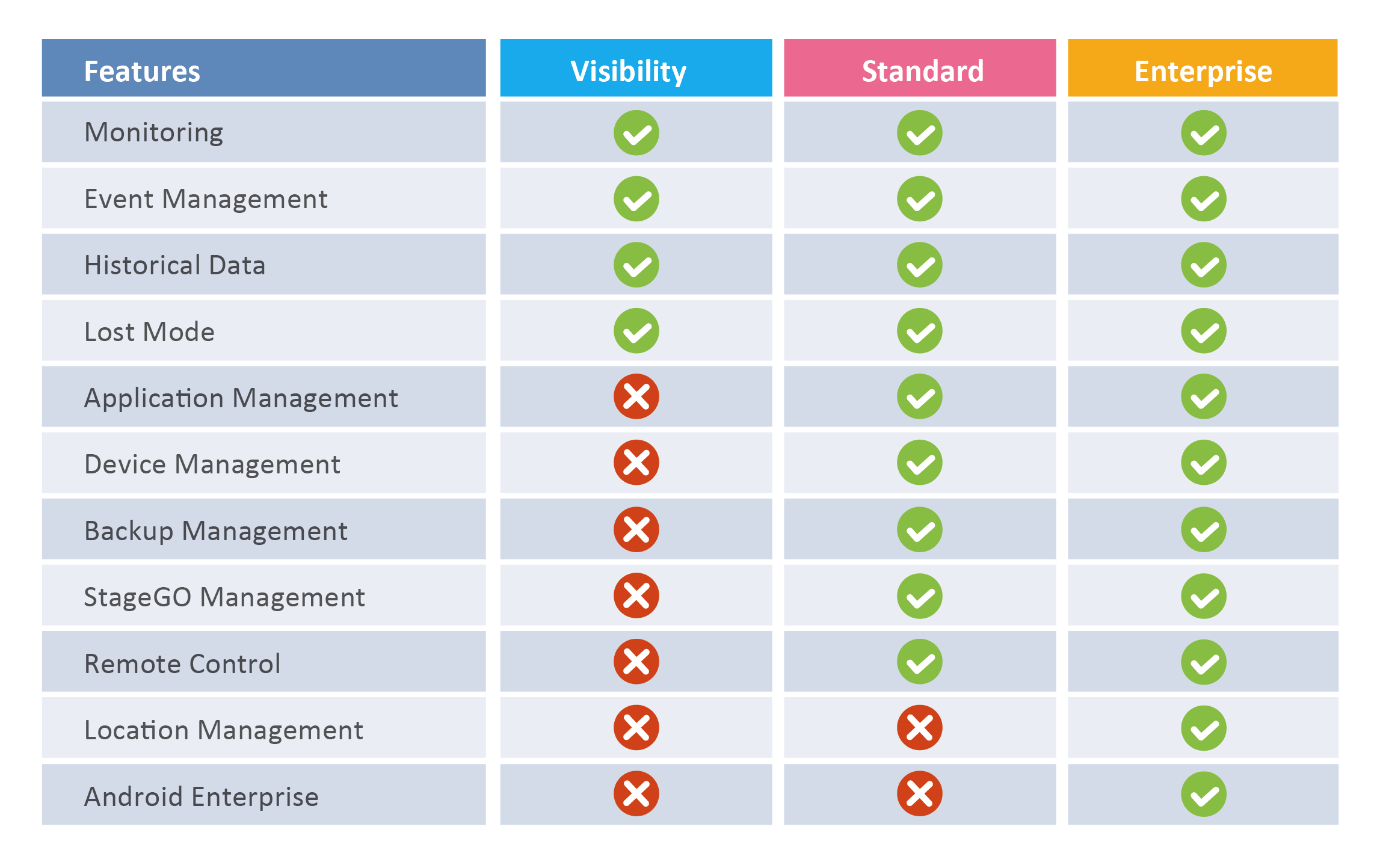
Feature availability may vary by device platform and model.
MoboLink 4.5 Supported Device Models
Find supported Android models by device family.
Enterprise Mobile Computers
Enterprise Tablet
For more details on feature support for your specific Unitech devices, please contact your Unitech representative.
MoboLink 4.5 Frequently Asked Questions
What is the biggest update in MoboLink 4.5?
MoboLink 4.5 adds support for selected RT112 Windows management functions for the first time, while also expanding Android Enterprise enrollment controls and improving everyday administration tools.
Are all MoboLink features available on RT112 Windows?
No. RT112 Windows support in version 4.5 focuses on selected functions such as application management, device management, backup management. We will be adding more features in the future to make the Windows experience more complete.
What is new for Android Enterprise users?
MoboLink 4.5 adds Play Integrity Attestation, Google Domain Binding and Managed Google Account Binding. These options give IT teams more control over device verification, Google Workspace onboarding and account assignment.
Download
Technical Material
-
V4.57.4MB161 Downloads

Customer in US
"The API integration was very important for me and the Vision team because it allowed us to automate our CICD pipelines. When we build new code and deploy it to buildings, we now can upload the APK to Mobolink and schedule upgrades to device groups using the APIs. This used to be a very manual process but is now automated because of the APIs."